
Using Unmatched UTM Data to Help Build Campaigns
We've included a UTM Touchpoint Explorer that helps you quickly explore your historical UTM Touchpoint records and help you identify which combinations of parameters are ideal for Salesforce Campaigns.
To use the explorer, simply select the UTM Parameters you frequently use, and rearrange them based on how you would like to see the results grouped.
Unlike Salesforce Reports, groupings with no values (or blanks) will not appear in this explorer. If you would prefer to see all combinations (including blanks) then you will have to build a Salesforce Report.
Using Reports Instead
When there are not any matching Campaigns during a UTM Touchpoint record creation, the Campaign field will remain Blank.
We provide a couple of Reports that can help you identify which UTM Groupings you might want to consider creating a Campaign for. These reports are built assuming that the Medium and Source fields are the most used. You can create your own reports using different UTM Parameters as needed.
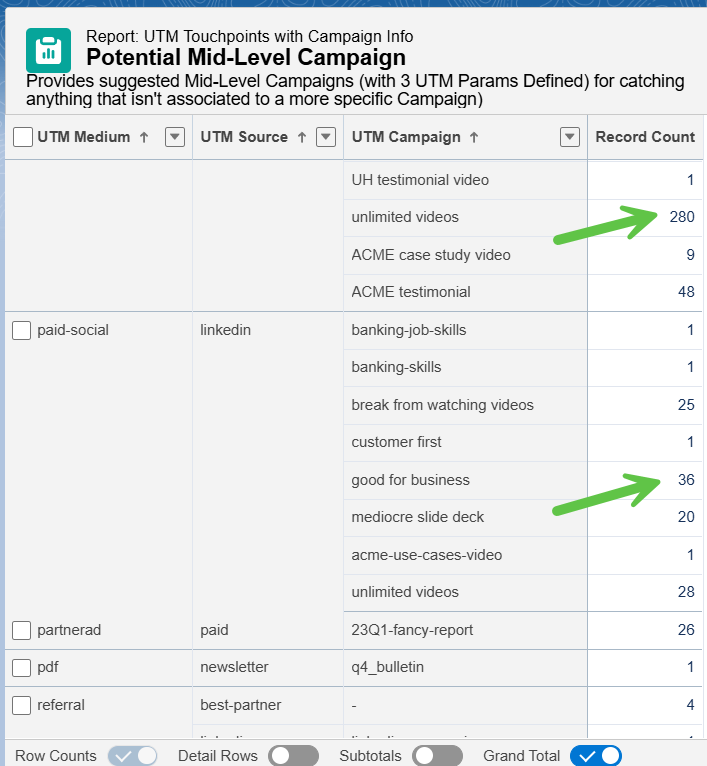
First, we would recommend looking at the Potential Mid-Level Campaign report, and scan for groupings that have high record counts. These could be ideal for their own Campaign.
If you've adjusted which UTM parameters are required, you will want to create a similar report with groupings that match.
Next, the Potential Generic-Level Campaigns report can show you were you can have more generic (or catch-all) Campaigns.
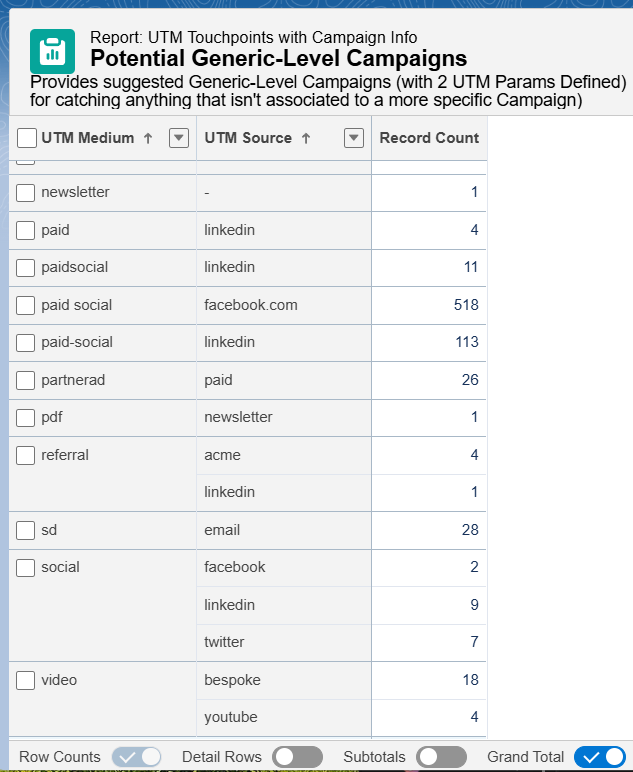
Like with all naming conventions, consistency is key. Knowing that and making adjustments for the future is great, but what about dealing with the messes of the past?
For the examples above, one approach can be to update the Salesforce Campaign for one combination of "old values", have the app process and link UTM Touchpoints to it, then adjust for the next one. You can do this repeatedly until everything is associated as you want, ensuring that the Campaign is finally left with the "good, go forward values".
Alternatively, you can simply set the Campaign Lookup value on UTM Touchpoints if you prefer doing some of this one-time crunching in a spreadsheet.