
We Stopped Writing for 6 Months. Here’s What Actually Happened
April 28, 2026
The Salesforce UTM Audit: 12 Checks Before You Trust Attribution
May 26, 2026
How to Migrate from Pardot to HubSpot Without Losing UTM Data
Account Engagement (Pardot / MCAE) to HubSpot migrations can look simple on paper (do we still use paper?).
Export the records, rebuild the forms. Recreate the lists, set up the Salesforce sync. Move the team.
But what about our reports? Where did Billy come from when they made a purchase? That is usually where the migration gets uncomfortable.
The hard part of moving from MCAE to HubSpot is not always the contacts themselves. MCAE Prospects become HubSpot Contacts, and in many cases they will still sync to the same Salesforce Leads and Contacts the team already uses.
The harder part is preserving the context around those people, and with AI needing solid data and context, this is not something that we want to lose.
Where did they first come from? Which campaigns did they interact with? Which paid search, paid social, email, partner, event, or content efforts influenced them before they became pipeline? Which touches happened before the migration, and which happened after?
That context is what UTM data is supposed to provide. And during a marketing automation migration, it is one of the easiest things to flatten, fragment, or lose.
What is Actually at Stake
When attribution history breaks, the pain does not show up as a neat technical error…it shows up later, in reporting. Well, actually, it won’t “show up”...the data is missing.
Paid search pipeline suddenly looks lower than it should. Campaign ROI reports stop lining up with what the team remembers. Pre-migration and post-migration performance become hard to compare. Leadership asks why a channel that used to influence opportunities now looks like it disappeared.
Then marketing operations gets stuck doing spreadsheet archaeology.
Was this Lead created before the migration? Was the first-touch value copied from MCAE? Did HubSpot overwrite the latest-touch field? Did this Campaign Member come from an actual campaign response, a form submission, an import, or a one-time migration script?
None of those questions help the team make better marketing decisions. They just create doubt in the numbers.
That is the real risk. Not simply losing UTM fields, but losing trust in the reporting those fields were meant to support.
How MCAE Actually Stores UTM Data
To understand why UTM history is difficult to preserve, it helps to understand where the data lives in MCAE.
MCAE tracks visitor activity, including page views. When someone visits a tracked page with UTM parameters in the URL, those parameters are captured as part of the page view URL, along with the timestamp of the visit. This is extremely useful data…which is nearly impossible to get to.
Instead, most MCAE implementations rely on form-based tracking. A visitor lands on a page, JavaScript reads the UTM parameters, hidden fields capture the values, and those values are stamped onto the Prospect record when the form is submitted.
That approach can work for basic first-touch or latest-touch reporting. It is also the pattern many teams have been using for years because the page view history is not easy to work with directly in normal reporting.
Link to previous post about hidden fields, first-touch, and latest-touch UTM tracking.
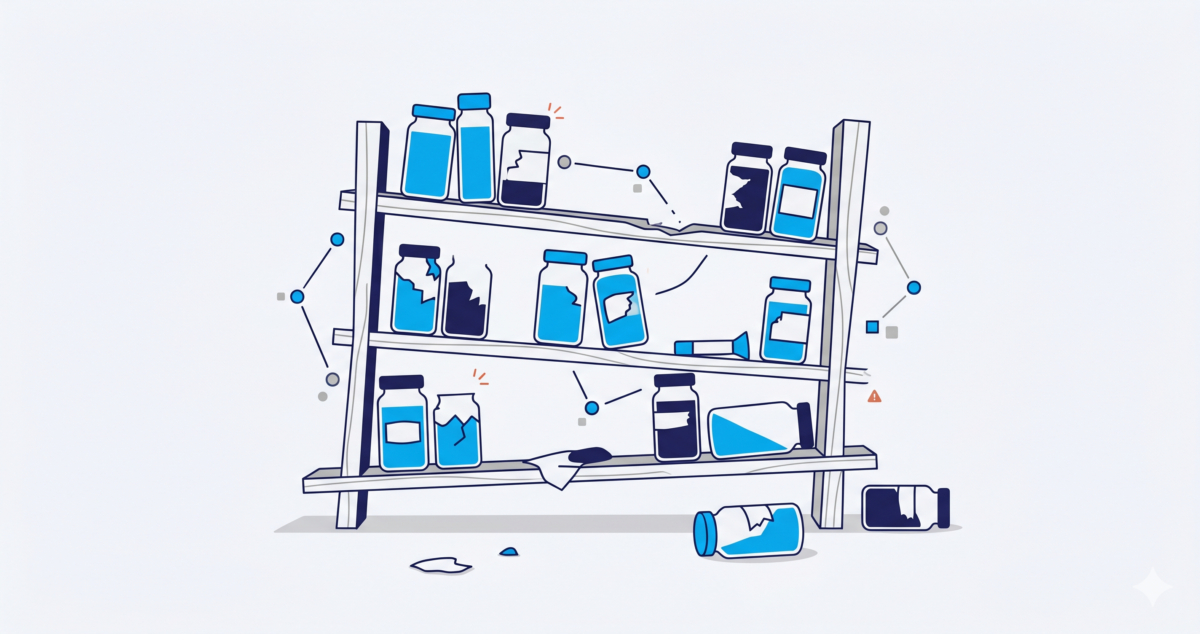
The problem is that this turns a many-touch journey into a few fields.
A person may visit through paid search in January, return through a webinar campaign in February, click a partner link in March, and finally request a demo in April. If the only values preserved are “First UTM Source” and “Latest UTM Source,” most of that journey disappears from the reporting model. Nevermind what they might do after submitting the form.
That limitation becomes much more painful during a migration.
Teams are not just moving a few fields from MCAE to HubSpot. They are trying to preserve a history of marketing interactions across two platforms with different data models.
What Teams Usually Try
When teams realize their attribution history is at risk, they usually try to keep it in one of a few ways:
- Stamping UTM values into fields (if not already there)
- Manually upload CampaignMember records into Salesforce (mmm spreadsheets)
- Try to export data into spreadsheets for manual review
- Rebuilt the same javascript & hidden field logic in HubSpot and hope the reporting works the same way going forward.
The intent is good, but these approaches usually create snapshots…not durable attribution.
A field can tell you the first or latest value, it can’t naturally represent a full sequence of visits or timestamps. A one-time Salesforce update can sometimes preserve what was known at time of cutover, but can’t improve as those anonymous visitors later become known contacts.
A manually created CampaignMember record might help with some reports, but it can also blur the lines between real campaign engagement, inferred touchpoints, and migration artifacts.
Lastly, rebuilding the Javascript and hidden field setup simply carries forward the technical debt of trying to surface data the platforms already have deep inside them. And when you migrate platforms in a few years again, you’ll have to rinse & repeat one more time.
The tracking was not designed to survive a platform change. Platforms hope this data keeps them “sticky”.
The HubSpot Trap: Rebuilding the Same Fragile Model
This is not a HubSpot problem. HubSpot can be a great fit for marketing teams. MCAE can be a great fit for marketing teams. The issue is bigger than either platform.
Most marketing automation platforms are very good at supporting marketing execution inside their own ecosystem. They help you build forms, landing pages, lists, emails, workflows, and campaign activity. But revenue attribution usually spans more than one platform.
It touches your website, your ad platforms, your marketing automation system, Salesforce Campaigns, Leads, Contacts, Opportunities, and Opportunity Contact Roles. It may also need to survive future changes in tooling.
If your attribution model depends entirely on hidden fields and platform-specific automation, a migration creates a natural breaking point. That is how teams end up recreating the same fragile setup in a new system. Different platform…same problem.
The form captures a few UTM values. The values get stamped onto the Contact. Maybe they sync to Salesforce. Maybe they get overwritten. Maybe they only represent the latest conversion. Maybe they miss the anonymous visits that happened before the person became known.
It feels like progress because the new platform is live. But the reporting foundation is still fragile.
A Better Approach: Let HubSpot Own Execution, Let Salesforce Own Attribution
A better migration does not try to perfectly recreate MCAE tracking inside HubSpot. It separates marketing execution from attribution history. HubSpot may own future marketing execution, but Salesforce should remain the system of record for revenue attribution.
That means the goal is not simply to move UTM fields from one platform to another. The goal is to preserve touchpoints.
A touchpoint model can include the full page view URL, UTM parameters, timestamp, source platform, and whatever identity information is available at the time. For known visitors, that may include a MCAE Prospect or HubSpot Contact identifier. For synced records, it may connect back to a Salesforce Lead or Contact.
For anonymous visitors, the relationship may not be available immediately. That matters.
Not every page view can be tied to a person, Prospect, Contact, Lead, or Opportunity the moment it happens. Sometimes the visitor is anonymous first and only becomes known later. A durable attribution model needs to account for that reality instead of assuming every touchpoint can be perfectly stamped onto a record during cutover.
This is where a touchpoint-based approach is much stronger than a field-based approach.
Instead of asking, “Which UTM values should we copy into these fields?” the better question is: “How do we preserve the journey so it can be connected to Salesforce reporting over time?”
Pull the History, Normalize the Data, Preserve the Journey
The ideal migration path is to pull historical activity from MCAE, continue capturing future activity from HubSpot, and normalize both into a consistent touchpoint model.
That gives you a way to preserve what happened before the migration while still supporting what happens after it.
- From MCAE, that can include page views with full URLs, timestamps, and Prospect identifiers when available.
- From HubSpot, that can include page view events with full URLs, timestamps, and Contact identifiers when available.
- From Salesforce, those identities can be connected back to Leads, Contacts, Campaigns, Campaign Members, Opportunities, and Opportunity Contact Roles.
The key is that the touchpoint history lives outside the marketing automation platform itself.
That does not mean HubSpot is less important. It means HubSpot is free to do what it does best: manage marketing execution.
Salesforce can then do what it should do best: connect marketing activity to pipeline and revenue.
What Good Looks Like After the Migration
A successful Pardot to HubSpot migration should not leave the team saying, “We started attribution over on go-live day.”
It should leave the team with a cleaner reporting foundation than they had before.
That means historical MCAE touchpoints are preserved. Future HubSpot touchpoints are captured. Both can be tied back to Salesforce records. Campaign reporting does not depend entirely on one-time field stamps. The team can map touchpoints to Campaigns over time instead of trying to get every Campaign Member perfect during cutover.
That last point is important.
Migration projects already have enough pressure. Teams are rebuilding forms, emails, lists, lifecycle stages, scoring models, automations, integrations, and reporting. If attribution depends on making every campaign mapping decision perfectly before cutover, the process becomes brittle.
A touchpoint model gives you more flexibility.
Capture the history first. Preserve the raw context. Map and refine over time.
That is much easier than trying to recreate years of attribution logic in a single migration spreadsheet.
Where Cyfuno Labs Helps
This is exactly the problem our UTM Capture and Reporting app is designed to solve.
Instead of relying only on hidden fields, cookies, and one-time migration snapshots, the app pulls page view activity directly from MCAE and HubSpot, including full URLs and timestamps. It stores touchpoints in Salesforce so they can be connected to Leads, Contacts, Campaigns, and revenue reporting.
For teams migrating from Pardot to HubSpot, that means historical activity does not have to be abandoned when HubSpot goes live. And future HubSpot activity does not have to live in a separate reporting silo.
The result is a more durable attribution architecture.
Your historical source in MCAE can be captured. HubSpot can be your future marketing platform. Salesforce can remain the place where marketing influence connects to pipeline and revenue.
Do Not Just Rebuild Tracking. Improve It.
A Pardot to HubSpot migration is a good time to clean up forms, lists, automations, and campaign structure.
It is also a good time to rethink attribution.
If your old model depended on a few hidden fields and a collection of platform-specific automations, copying that same model into HubSpot may preserve the familiar workflow, but it also preserves the same limitations.
The better opportunity is to decouple attribution from the marketing automation platform.
Preserve the touchpoints. Keep the historical context. Connect marketing activity to Salesforce Campaigns and revenue over time.
Migrations are not just a chance to rebuild tracking.
They are a chance to make it better.