
Campaign Influence Reporting in Salesforce: 7 Metrics You Should Track
October 26, 2025
Calling the Account Engagement API from Salesforce
November 18, 2025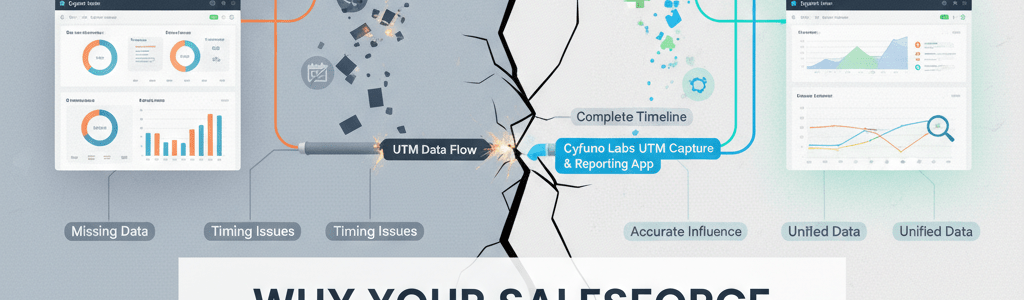
Why Your Salesforce Campaign Attribution is Broken (and How to Fix It)
You’ve built the dashboards, added the Campaign Influence models, and connected everything to Marketing Cloud Account Engagement (formerly Pardot).
On paper, your attribution looks solid... until you notice something off.
- Leads with clear marketing journeys show up with no Campaigns.
- Opportunities are missing early touchpoints.
- And those big ROI numbers you presented last quarter? They don’t seem to match what’s in Salesforce today.
It’s not that your team isn’t tracking properly! It’s that Salesforce attribution relies on a sequence of events that has to happen perfectly.
In reality, it rarely does.
Why So Many Attribution Dashboards Lie
Salesforce was built to track relationships, not anonymous digital behavior.
Attribution inside Salesforce depends on data showing up at the right time, in the right place, linked to the right records.
But between Account Engagement sync delays, UTM overwrites, and CampaignMember timing issues, most organizations end up with incomplete or inconsistent data.
The result isn’t bad math, it’s broken plumbing. And you can’t fix Campaign Influence by painting over a cracked foundation.
Ok, so maybe they aren't "lying", but they certainly aren't painting the correct picture.
The Hidden Breakpoints (and How to Spot Them)
Most attribution issues don’t show up as “errors.” They just quietly distort your numbers.
1. Normalization Gaps
Source/medium/campaign values vary by case, spacing, or naming (“Paid Social” vs “paid_social”). Without normalization, the same channel fragments across multiple values... wrecking roll-ups, funnel views, and model accuracy.
2. The “Latest Only” Trap
Many setups only save the most recent UTM values. Every earlier interaction, the ad click, the webinar invite, the blog visit, it all disappears. When only the last click survives, it gets all the credit.
3. The Invisible Members Problem
Campaign Influence only works when CampaignMember records exist before an Opportunity is created. But in most orgs, CampaignMembers are added through imports, syncs, or automations that run later.
By the time they’re created, Salesforce has already missed the connection.
4. Prospect Identity Gaps (Anonymous → Known)
A visitor’s early page views and UTMs live under an anonymous cookie until they’re identified. If identity stitching isn’t reliable across devices, browsers, or time, those pre-form touches never make it onto the person’s record and, therefore, never into attribution.
5. Cross-Domain & Redirect Blind Spots
Multiple subdomains, marketing microsites, and redirect links (including some link shorteners and tracking layers) can drop or rewrite parameters. If UTMs don’t persist cleanly through the entire journey, Salesforce never sees key touches, even though analytics tools do.
If Salesforce never sees the touchpoint, it can’t give it credit; no matter how strong your marketing actually is.
The Fix: Rebuild the Flow, Not the Dashboard
You don’t need more dashboards, you need clean, connected data. Here’s how to fix the flow and make attribution reliable again.
Step 1: Use the Data You Already Have
If you’re using Marketing Cloud Account Engagement, you’re already collecting UTM parameters on every page view....surprise!
The problem isn’t capture, it’s access. Account Engagement doesn't make it easy to get to this information, and for years Marketers have been adding DIY UTM capture to fill the gap.
Our UTM App helps you pull that existing data out of Account Engagement and make it visible inside Salesforce, so every click and form fill contributes to the full picture.
Step 2: Log Every Touchpoint in Salesforce
Don’t overwrite, record.
Each visit you worked hard for, ad click, or social click deserves its own record (a “UTM Touchpoint”).
This gives you a complete timeline of marketing interactions and ensures data stays consistent, even when syncs or forms behave unpredictably.
Step 3: Link Touchpoints to Campaigns
Establish a consistent relationship between each recorded touchpoint and the relevant Salesforce Campaign.
That ensures every marketing effort: whether paid, organic, or email-driven connects to the right data and influence models.
Step 4: Create Campaign Members When the Touchpoint Happens
Don’t wait for uploads, batch jobs, or sync cycles.
Create CampaignMember records as the engagement occurs, or at a minimum make sure you are setting the CreatedDate of the CampaignMember record to be that moment in time.
That way, when Opportunities are created later, Salesforce already has everything it needs to calculate Campaign Influence accurately.
Step 5: Keep Attribution Continuous
Attribution shouldn’t stop at Closed Won.
Track engagement and campaign activity after the initial deal... for renewals, upsells, and long-term relationship marketing. It’s the only way to measure marketing’s real lifetime influence.
The Aftermath: What Fixed Attribution Feels Like
When your attribution finally works, everything feels lighter. You’re not second-guessing numbers or explaining why Salesforce doesn’t match your marketing reports... they actually align.
Campaign Members appear exactly when they should, and every meaningful touchpoint, from the first ad click to the renewal campaign, is recorded in the right place.
UTMs aren’t disappearing or overwriting each other; they build a history of engagement you can trust.
Your dashboards stop being defensive tools and start becoming insight engines.
You can open a report, trace the full buyer journey, and know exactly which campaigns are pulling their weight.
It’s not about proving which team deserves credit anymore. It’s about having a complete, accurate picture that everyone; Marketing, Sales, and Leadership can trust and act on together.
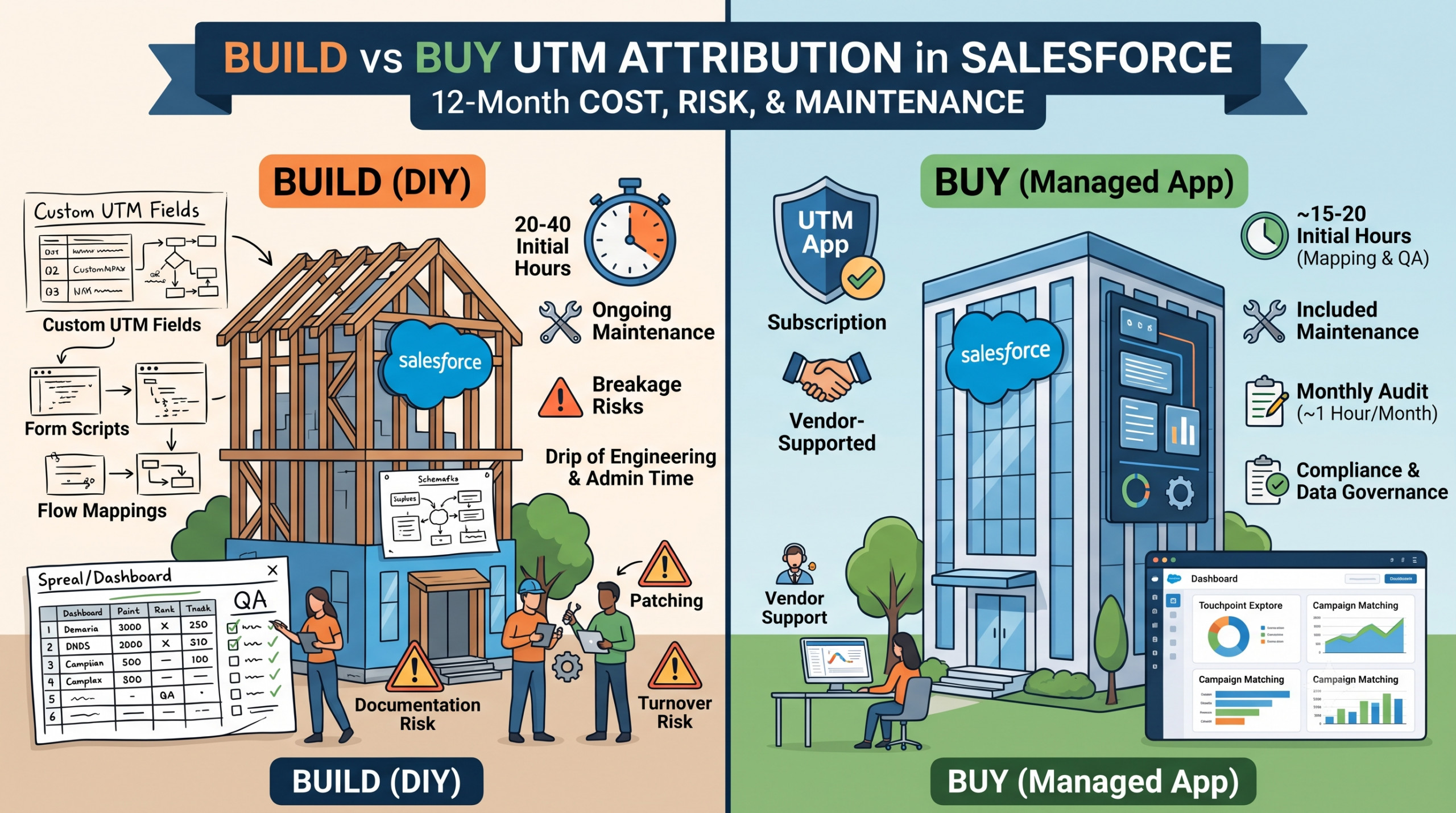
Real Talk: You Could Build This Yourself (But Should You?)
Many teams could script a tracking solution, build custom objects, and manage sync logic. But keeping it accurate across environments, releases, and Campaigns over time takes constant care.
That’s why we built the Cyfuno Labs UTM Capture & Reporting App: a managed, purpose-built solution designed specifically for Salesforce and Account Engagement users.
It:
-
Captures and stores every UTM from first visit to beyond closed deal
-
Links touchpoints automatically to Salesforce Campaigns
-
Provides clean, structured data that works seamlessly with your existing dashboards and Campaign Influence models
If your attribution feels incomplete, it doesn’t have to stay that way. Explore the UTM App
Attribution You Can Actually Trust
Broken attribution isn’t a marketing or sales issue... it’s a visibility issue.
When Salesforce has full visibility into every touchpoint, attribution becomes something everyone can rely on:
Marketing, Sales, Operations - all working from the same data, the same truth.
Because attribution isn’t about credit.
It’s about clarity.